
Six months ago, my company rolled out an AI assistant for our operations team. The announcement was familiar: “This will help you work smarter, not harder.” No layoffs, no forced retraining, just a new tool in our workflow.
I wanted to believe it. But I also wanted to know what actually changed.
So I did something simple: I mapped my weekly tasks before AI adoption, and I mapped them again three months after. Same role, same team, same company. Just a before-and-after snapshot of where my hours went.
What I found surprised me — not because the changes were dramatic, but because they were so quiet. No single task disappeared. No single task exploded. But the shape of my week shifted in ways I wouldn’t have noticed without writing it down.
If you work in operations — scheduling, logistics, process coordination, vendor management, internal tools, whatever your flavor — I’d like to compare notes. Here’s my map. What does yours look like?
How I Mapped My Tasks
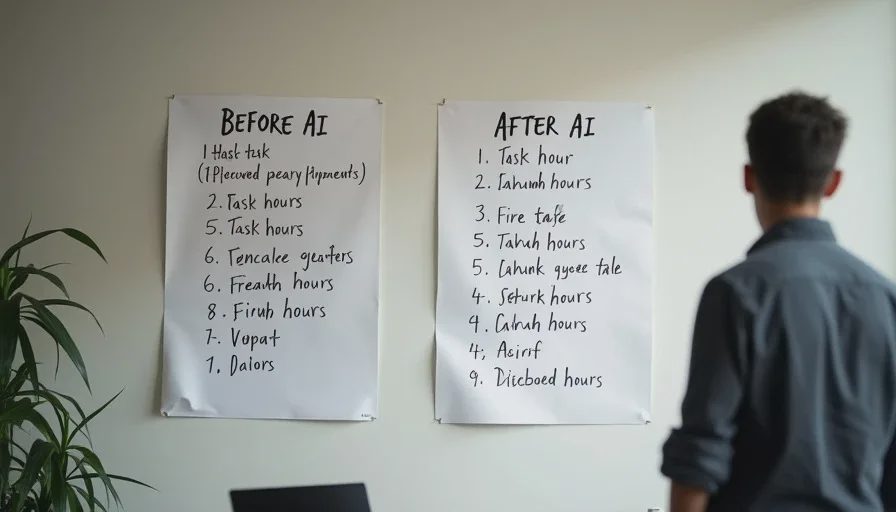
I kept it deliberately low-tech. Every Friday for two weeks before the AI rollout, I logged my time in a simple spreadsheet. I used six categories that covered most of my work:
Data entry and cleanup — moving information between systems, formatting, deduplication
Report generation — pulling numbers, building weekly summaries, updating dashboards
Email and Slack coordination — scheduling, follow-ups, clarifying requests
Problem-solving and exceptions — fixing broken processes, handling edge cases
Meetings — standing syncs, project check-ins, vendor calls
Documentation and process updates — writing SOPs, updating wikis, training materials
I tracked to the nearest 15 minutes. Not perfect, but good enough to see the pattern.
Three months after the AI assistant was fully integrated, I did the same logging for two weeks. Same categories. Same role. Here’s what changed.
The Before-and-After Map
Task category | Before AI (hrs/week) | After AI (hrs/week) | Change |
|---|---|---|---|
Data entry and cleanup | 8.5 | 5.0 | −3.5 |
Report generation | 6.0 | 2.5 | −3.5 |
Email and Slack coordination | 5.5 | 6.5 | +1.0 |
Problem-solving and exceptions | 4.0 | 7.5 | +3.5 |
Meetings | 3.5 | 3.5 | 0 |
Documentation and process updates | 2.5 | 5.0 | +2.5 |
Total | 30.0 | 30.0 | 0 |
The total hours didn’t change. I’m still working the same amount. But the composition of my week is almost unrecognizable.
Data entry and report generation — the two most repetitive, rules-based parts of my job — got cut roughly in half. That’s the AI doing its job. It’s genuinely faster at pulling data, formatting tables, and generating standard reports. I’m not fighting that.
But the time didn’t come back to me. It got reinvested into two areas: problem-solving and exceptions (up 3.5 hours) and documentation and process updates (up 2.5 hours). Email and Slack coordination also went up slightly, mostly because I’m now answering questions about the AI tool itself.
In other words: the AI absorbed the routine work, and I absorbed the complexity.
What Surprised Me

1. The easy tasks didn’t disappear — they got compressed. I still do data cleanup, but instead of spending 8.5 hours a week on it, I spend 5. The AI handles the first pass; I handle the exceptions. That sounds efficient, and it is. But it also means every remaining data task is harder than the average task used to be. The easy 60% is gone.
2. I’m now doing QA on the AI without it being called QA. A significant chunk of my “problem-solving” time is actually checking AI output, catching errors, and redoing work that the tool got wrong. I don’t mind doing it — someone has to — but it’s invisible labor. It doesn’t show up in my job description, and it doesn’t show up in my performance metrics.
3. Documentation became a bigger part of my job, not a smaller one. I assumed AI would help write SOPs. Instead, I’m spending more time documenting how we use AI — what prompts work, what data shouldn’t be entered, what the escalation path is when the tool fails. Someone has to write the playbook. That someone is me.
4. Meetings stayed exactly the same. I don’t know why I expected this to change. It didn’t.
5. My total hours didn’t drop, but my mental load went up. The work is more varied, more judgment-heavy, and more interrupt-driven. I’m not bored. But I am more tired at the end of the day than I was before.
Does This Match the Broader Data?
My experience lines up with what larger studies are finding.
A 2026 survey from SHRM found that 71% of workers say critical thinking is more important now because of AI, and 80% of HR professionals believe that repeatedly using AI to draft or refine work reduces original thinking. That tracks with what I’m seeing: the routine work shrinks, and the judgment work expands.
The Denmark-based study of 25,000 workers across 7,000 workplaces found that AI saved an average of 2.8% of total work hours — but those hours were mostly reinvested into other tasks, not returned as leisure or pay. Zero effect on wages, hours, or employment levels across 11 occupations, including operations-adjacent roles.
And a Korn Ferry survey of 16,000 professionals found that 52% of workers who use AI say it has increased their workload, even as 79% of CEOs believe AI has improved efficiency. My map is a small, concrete example of that gap: my company sees faster report generation. I see a week that’s just as full, but harder.
What I’m Doing With This Information
I’m not anti-AI. The tool has genuinely made parts of my job less tedious. But I’m also not going to pretend that “efficiency” means the same thing to me as it does to my employer.
Here’s what I’m doing next:
1. Sharing this map with my manager. Not as a complaint — as a conversation starter. “Here’s how my week changed. Here’s where the time went. Can we talk about what ‘good work’ looks like now?”
2. Tracking my correction work. I’ve started a simple log: date, task, what the AI got wrong, how long it took me to fix. If this becomes a significant part of my job, I want data to back it up.
3. Asking about training. If I’m spending more time on exceptions and QA, I want training on how to handle those better — not just on how to prompt the AI.
4. Comparing notes with other operations workers. That’s what this post is for. My map is one data point. Yours is another. Together, we can see the pattern.
Your Turn: Share Your Task Map
If you work in operations — or any role where AI has been introduced into your workflow — I’d like to see your before-and-after. You don’t need a fancy spreadsheet. A simple list works:
Before AI: What did your week look like?
After AI: What changed?
What stayed the same?
What’s your total hours? Did it go up, down, or stay flat?
What surprised you?




No feedback yet — submit the first.