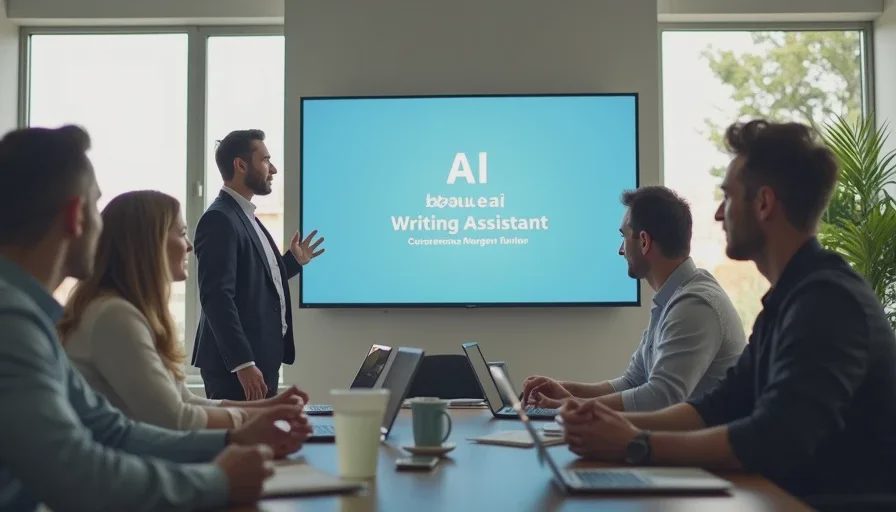
You walk into a Monday team meeting. Your manager announces that the company is rolling out a new AI writing assistant. “This won’t change anyone’s job,” they say. “It’s just a tool to help you work faster.”
You nod. You smile. You open your laptop. And you start wondering: If nothing is changing, why are we doing this?
You’re not paranoid. You’re paying attention.
A Korn Ferry survey of more than 16,000 professionals across 11 markets found that 52% of workers who use AI at work say it has increased their workload, even as 79% of CEOs believe AI has improved efficiency. That gap — between what leadership says and what workers experience — is where careers get quietly reshaped. The difference between feeling prepared and feeling blindsided comes down to the questions you ask now, before the workflow shifts, before the performance metrics change, and before the “just a tool” language hardens into a new set of expectations.
This guide is for frontline workers — writers, marketers, admins, customer support reps, analysts — whose employers are introducing AI writing tools while insisting that nothing about the job will change.
Here’s what to ask, why it matters, and what to do with the answers.
Why “Nothing Will Change” Is the Most Important Thing Your Employer Just Said

When a company introduces a writing tool and immediately insists that jobs won’t change, that statement is doing two things at once. It’s reassuring you — and it’s buying the organization time to figure out what it actually plans to do.
The problem is that “jobs won’t change” and “we’re adopting AI” are not naturally compatible statements. If the tool genuinely speeds up drafting, editing, or summarizing, someone will eventually ask what else you can do with the time saved. If it doesn’t speed things up, someone will eventually ask why the company is paying for it.
According to SHRM’s 2026 research, 42% of organizations do not have AI use policies in place for employees, and 80% of HR professionals believe that repeatedly drafting, editing, or refining work with AI reduces original thinking. In other words, your employer may be introducing a tool that affects how you think — without a written policy governing how you use it.
Mark Cuban put the risk bluntly in a 2026 post: “If you regurgitate what AI gives you, you will be fired.” His argument is that the safest career move is to actively challenge AI output — to probe for mistakes, apply judgment, and be able to explain your reasoning to managers and peers.
So the question isn’t whether things will change. They will. The question is whether you’ll understand the direction of change while you still have room to shape your position.
8 Questions to Ask Before the AI Rollout Solidifies

These questions are designed to be specific, answerable, and strategically useful. Ask them in a 1-on-1 with your manager, in a team Q&A, or in a follow-up email. If your manager can’t answer them, that’s information too — it tells you the rollout is being managed at a level above or below them.
1. “Which specific tasks is this tool expected to speed up — and by how much?”
You want to hear a concrete answer, not “writing in general.” If the tool is meant to help with first drafts, say so. If it’s meant to replace routine email responses, say so. The more specific the answer, the more you can prepare for which parts of your job will shift first.
Listen for vague answers like “it’ll make everything easier.” That usually means the rollout hasn’t been thought through at the workflow level.
2. “Will productivity expectations change as a result of using this tool?”
This is the question that connects AI adoption directly to your workload. If the tool saves you three hours a week, does the company expect you to produce three more hours of output? Or does it expect you to reinvest that time in higher-value work?
The Korn Ferry data suggests the answer is often the former. Half of the surveyed workers said AI had increased their workloads, and 61% said they were now performing the responsibilities of more than one role. Ask explicitly: “If my output increases because of this tool, will my targets increase too?”
3. “Is there a written AI use policy? If not, when will there be one?”
42% of organizations don’t have one. If yours doesn’t, you’re operating in a gray zone where expectations are informal and accountability is unclear. A written policy should cover: what tools you’re allowed to use, what data you can enter, whether AI-assisted work must be disclosed, and how AI-generated content is reviewed.
If there is no policy, ask who is responsible for creating one and what the timeline is. This puts the question on the record.
4. “How will my performance be evaluated if AI-assisted work is part of my output?”
This is where the “nothing will change” claim starts to crack. If you’re using AI to draft a report, and the report has a factual error, who is accountable — you or the tool? If your manager praises the speed of your work but the quality drops, which metric wins?
SHRM’s research found that 71% of workers say critical thinking is more important now because of AI. Ask how your employer plans to measure that critical thinking — because “using AI well” is not a performance metric yet.
5. “Will there be training on how to use the tool effectively — and on where it fails?”
According to Resume Now’s 2026 survey, only 14% of workers use AI for writing emails and messages, and just 3% use it for strategic planning. Most workers are comfortable with routine information-gathering, not judgment-heavy writing. If your employer expects you to use a writing tool for high-stakes client communication without training, that’s a gap worth naming.
Training should cover not just “how to prompt” but “how to verify,” “when not to use it,” and “how to explain your process when asked.”
6. “What happens when the AI output is wrong and I catch it?”
This is where you position yourself as the quality control, not the passive operator. Cuban’s advice — treat AI as a sparring partner, not a ghostwriter — applies directly here. Ask: “If I spend time correcting AI-generated work, does that count as productive time, or does it look like I’m slow?”
In one documented case at a Miami cybersecurity firm, remaining employees were forced to rely heavily on AI after layoffs, then blamed when the output quality dropped. One copywriter described it this way: “Quality decreased significantly, time to produce a piece of content increased significantly and, most importantly, morale decreased”. You want to know, before it happens, whether your employer will treat AI errors as your errors.
7. “How will this affect hiring, headcount, or team structure over the next 6–12 months?”
This is the uncomfortable question. But it’s also the one that gives you the most lead time.
You’re not asking for a promise. You’re asking for the company’s current thinking. If the answer is “we don’t see this affecting headcount,” ask what would change that view. If the answer is evasive, note it — and start planning accordingly.
8. “Can I see examples of what ‘good AI-assisted work’ looks like in this role?”
This is a practical, low-stakes way to get your manager to show their hand. If they can’t produce an example, it means the standards are still being defined. If they can, study it — because that example is the new job description, whether anyone says so or not.
What the Answers Tell You About Your Actual Risk
What you hear | What it likely means | What to do next |
|---|---|---|
“We don’t have metrics yet” | The rollout is early; expectations will shift once data comes in | Document your workflow now; propose your own quality metrics |
“Output will be reviewed the same way” | AI errors may be attributed to you | Ask for a written review process; keep records of corrections |
“We expect you to use it for everything” | Job redesign is coming, even if headcount isn’t | Start mapping which tasks are highest-risk for automation |
“This is just a pilot” | Pilots often become permanent without a second announcement | Ask what criteria will determine whether it expands |
“No policy yet” | You’re in a gray zone; protect yourself with documentation | Request a written policy; avoid entering sensitive data |
“Great question — let me get back to you” | Your manager may not have the full picture either | Follow up by email; create a paper trail |
What to Do After You Ask
Asking the questions is step one. What you do with the answers is what actually protects your position.
Document your workflow before and after. Write down your weekly tasks, how long each takes, and how AI changes the process. This is not about suspicion — it’s about having evidence when performance conversations happen. One Reddit-favorite technique is the “before and after” task map: list every recurring task, note its time cost, and mark which ones AI touches.
Build a correction log. If you’re catching AI errors regularly, keep a private record — date, task, error type, time spent fixing. This does two things: it proves you’re doing quality control, and it gives you data if the company later claims AI is handling work correctly.
Volunteer for the pilot, not against it. Workers who refuse AI tools are more likely to be passed over for promotions or flagged as resistant. That doesn’t mean you should accept bad implementation. It means you should position yourself as someone who engages critically — the person who finds where the tool fails before the client does.
Ask about training before you’re told to “just figure it out.” SHRM’s data shows that organizations without governance structures are more likely to see skill erosion. If your employer isn’t offering training, ask for it. If they won’t provide it, consider whether the role is being set up to fail.
Connect with other workers in your profession. This is exactly what The Workshift Forum’s By Profession boards are for. The patterns you’re seeing — increased quotas, unclear review standards, quiet job redesign — are not unique to your company. Knowing that doesn’t solve the problem, but it does change how you interpret it.
No feedback yet — submit the first.