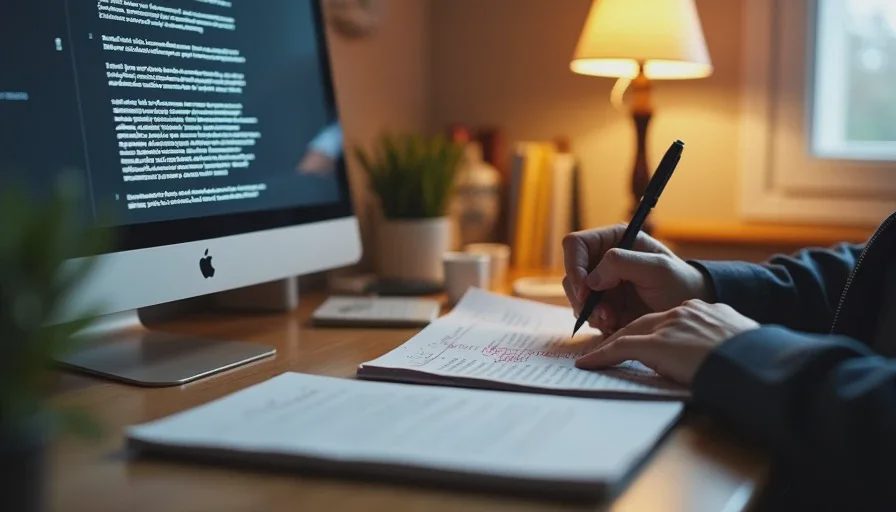
I've been a designer for eight years and a writer for longer than that. I've watched AI move from a novelty to a daily tool in both disciplines. I've used it for ideation, drafting, image generation, copy variation, and more rounds of revision than I care to count.
And I've noticed something that the productivity headlines miss.
The work isn't faster in the way I expected. It's denser. The tools compress the easy parts — the first draft, the initial layout, the placeholder copy — and the time saved gets reinvested into more iterations, more options, more review cycles, and more of the invisible labor that never shows up in a portfolio.
I want to compare notes with other designers and writers. Is this what you're seeing? Or is your experience different?
The Data: More Output, Same Hours

Let me start with what the research shows, because it matches what I've experienced.
A 2026 study from the University of Maryland and Adobe found that entry-level creative roles are being hit hardest by AI adoption, with job postings for junior content and design roles declining significantly in AI-exposed categories. The roles that are growing require judgment, relationships, and domain knowledge — not just the ability to produce.
But for those still in the work, the pattern is different. A survey of 1,000 U.S. workers across creative fields found that 71% use AI in their work, and 68% say it has increased their output expectations. Only 22% say it has reduced their hours.
A separate study of 25,000 workers across 7,000 workplaces found that AI saved an average of 2.8% of total work hours — but those hours were mostly reinvested into other tasks, not returned as leisure or pay. The finding held across occupations, including design and writing.
The pattern is consistent: AI increases volume, not free time. The work doesn't get shorter. It gets denser.
The "cognitive treadmill" problem is real. A study from the University of California, Irvine found that knowledge workers in AI-heavy environments experienced faster task-switching, more frequent interruptions, and shorter focused sessions — with focus efficiency dropping from 65% to 62%. The tools are faster. The work is more fragmented. The cognitive load is higher.
One more data point: a Resume Now survey found that only 14% of workers use AI for writing emails and messages, and just 3% use it for strategic planning. Most workers are comfortable with routine information-gathering, not judgment-heavy creative work. But the routine tasks are exactly where designers and writers spend most of their time — and where AI is being deployed most aggressively.
What's Actually Changing in Design
I've been tracking how AI shows up in design workflows — my own and the ones I see in job postings and team processes. Here's what I've observed.
What AI Handles Well
First-pass layout and composition. Tools like Midjourney, DALL-E, and Adobe Firefly can generate mood boards, color palettes, and initial layouts in minutes. For a designer who's starting from a blank canvas, this is genuinely useful. It turns a two-hour exploration into a twenty-minute one.
Asset resizing and adaptation. AI can resize, reformat, and adapt designs across platforms and screen sizes. This used to be a tedious, manual task. Now it's increasingly automated. For production designers, this is a real job change — the work is shifting from execution to oversight.
Copy fitting and placeholder text. AI can generate placeholder copy that actually fits the design — not lorem ipsum, but realistic text that approximates the final content. This helps designers see how the design will work with real words.
Variation generation. Need five versions of a banner ad with different color schemes, layouts, and messaging? AI can produce them in minutes. The designer's job becomes selecting, refining, and integrating — not producing every variation from scratch.
What AI Still Struggles With
Brand voice and nuance. AI can mimic a brand's voice if it's been trained on enough examples. But it can't decide what the brand should sound like, or how to evolve it, or when to break the rules. That's still a human call.
Contextual judgment. A design that works in one context may fail in another. AI doesn't know that this client hates blue, that this campaign is aimed at skeptical older users, or that this layout needs to accommodate a translation into German that will be 30% longer. Those contextual constraints live in the designer's head.
Accessibility and inclusion. AI can check for color contrast and alt text. It can't make the judgment calls about how a design will be experienced by users with different abilities, cultures, or contexts. That requires human awareness that AI doesn't have.
Client relationship and trust. The designer's value isn't just the output. It's the ability to listen, interpret, push back, and build trust. AI can produce a design. It can't own a relationship.
The "More Options" Trap
This is the trap I've fallen into myself. When AI can generate 20 variations in minutes, it's tempting to present all 20 to a client. But that often makes the decision harder, not easier. The designer's job is to curate, not just generate. And curation takes judgment, which takes time.
One designer I talked to put it this way: "I used to spend 80% of my time designing and 20% of my time deciding. Now I spend 20% designing and 80% deciding. The work shifted from making to choosing."
That's not a complaint. It's a different job. And it's one that requires different skills.
What's Actually Changing in Writing

I've been on both sides of this — writing, editing, and managing writers. Here's what I've seen.
What AI Handles Well
First drafts of routine content. Blog posts, product descriptions, email sequences, social copy, basic landing pages. AI can produce a competent first draft in minutes. For writers who used to spend hours on these tasks, that's a significant shift.
Summarization and restructuring. AI can summarize long documents, pull key points, and reorganize content. This is genuinely useful for research, reporting, and editing.
SEO and keyword integration. AI can draft content optimized for specific keywords and search intents. It's not perfect, but it's a faster starting point than a blank page.
Translation and localization. AI translation is getting better. For writers working across languages, this is a useful tool — not a replacement, but a starting point.
What AI Still Struggles With
Voice and personality. AI can produce competent, clear, grammatically correct writing. It struggles to produce writing with a distinctive voice, a sense of humor, or a point of view. Those require a human who has something to say.
Reporting and verification. AI can write a news story. It can't go to the scene, interview a source, or verify a fact. Reporting is a human job. AI can help with transcription and background research, but it can't do the reporting.
Narrative and persuasion. AI can produce a clear argument. It can't produce a compelling one. The difference between "here are the facts" and "here's why you should care" is a human skill.
Editorial judgment. AI can draft. It can't decide what's worth drafting. It can't set the editorial direction, prioritize stories, or make the hard calls about what to cut. That's still the editor's job.
The "Draft and Review" Cycle
This is the biggest change I've seen. The writing process used to be: research, outline, draft, revise, edit, publish. Now it's: research, prompt, review draft, revise heavily, edit, publish.
The middle steps have changed. The writer's job is less about producing the first draft and more about evaluating, correcting, and improving the AI's output. That's a different skill — and it's one that's harder to learn because it requires knowing what good looks like before you've made it yourself.
One editor I talked to put it bluntly: "I can't train junior writers the way I was trained. The old way was: you write, I edit, you learn. Now they write with AI, I edit the AI's output, and they never see the difference between a good draft and a bad one. They learn to accept 'good enough.'"
The "Cognitive Offloading" Problem
This is the part that worries me most. Not for the work, but for the workers.
SHRM's 2026 research found that 80% of HR professionals believe repeated AI drafting reduces original thinking. A separate body of research on "cognitive offloading" suggests that when people rely on external tools to think for them, their own thinking skills can atrophy.
For designers and writers, the skills at risk are the ones that made them valuable in the first place:
For designers: The ability to see a layout and know why it works. The instinct for spacing, hierarchy, and balance. The judgment about when to break the rules. These are learned through iteration — through making bad designs and learning from them.
For writers: The ability to hear a sentence and know whether it sings. The instinct for pacing, rhythm, and structure. The judgment about when to cut and when to keep. These are learned through writing badly and getting better.
If AI produces the first draft, the designer doesn't learn from the bad layout. If AI generates the copy, the writer doesn't develop an ear for the bad sentence. The apprenticeship is disrupted.
One creative director I talked to said: "I hire juniors for their eye and their ear. But I can't tell if they have an eye if they've never had to use it. And I can't train their ear if they're always listening to AI."
This isn't a reason to reject AI. It's a reason to be deliberate about when not to use it — to protect the work that builds your skills, not just the work that produces output.
The Workload Reality: Denser, Not Shorter
Let me come back to the headline. AI is not making creative work faster in the way the marketing promises. It's making it denser.
Here's what I mean:
More iterations, not fewer. When AI can generate 20 logo options in minutes, clients want to see 20. The selection process is longer. The feedback cycles are more numerous. The decision is harder.
More "invisible" work. Reviewing AI output, correcting errors, maintaining consistency, and ensuring brand alignment are all tasks that don't show up in a portfolio. But they take time. And they're not always recognized in performance reviews.
More context-switching. AI tools add another interface to manage. You're working in the design tool, the AI tool, the project management tool, and the client communication tool. Each switch has a cognitive cost.
More pressure to be fast. When the tools can produce 20 options in minutes, the expectation is that you can too. The speed of the tool becomes the speed of the worker, even when the worker is doing more verification and judgment.
A graphic designer I talked to described it as "the productivity paradox of creative work: I'm producing more than ever, but I feel like I'm working harder than ever. The output is up. The effort is up. The satisfaction is down."
What I'm Doing About It
I don't have this solved. But here's what I'm trying.
I'm tracking my actual time. Not just output. I log when I use AI, when I don't, and how long each task actually takes. So far, the pattern is that AI saves me time on production and costs me time on review. The net savings are smaller than I expected.
I'm protecting the learning work. There are certain tasks I deliberately do without AI — writing a first draft of something important, designing a layout from scratch, reading a document without asking for a summary. These are the tasks that build my skills. If I offload them, I lose the practice.
I'm asking about expectations explicitly. When a client or manager says "use AI to speed this up," I ask what "speed up" means for the output. More options? Faster turnaround? Same quality? The answer changes how I use the tool.
I'm keeping a correction log. Every time AI gets something wrong — a bad color choice, a tone-deaf sentence, a layout that doesn't work — I note it. It's helped me get better at prompting, and it's evidence that the tool isn't as reliable as it looks.
I'm talking to other designers and writers. That's what this post is for. My experience is one data point. Yours is another. Together we can see the pattern.
Your Turn: What's Changing in Your Work?
If you're a designer, writer, or anyone in the creative professions, I want to hear:
What tasks has AI actually taken over in your workflow? Not the demo version. The production version.
Where does it fail? What have you tried to use it for and then stopped?
How has your job changed? What do you do more of now? Less of?
Is your work denser, faster, or both?
What are you doing to protect your skills? Or are you not worried about that?
What do you wish clients, managers, or leadership understood about what AI can and can't do in creative work?




No feedback yet — submit the first.